
Blog
How UX is Shaping the Future of Digital Twins for Smart Cities
UX Design
8 min read

Introduction
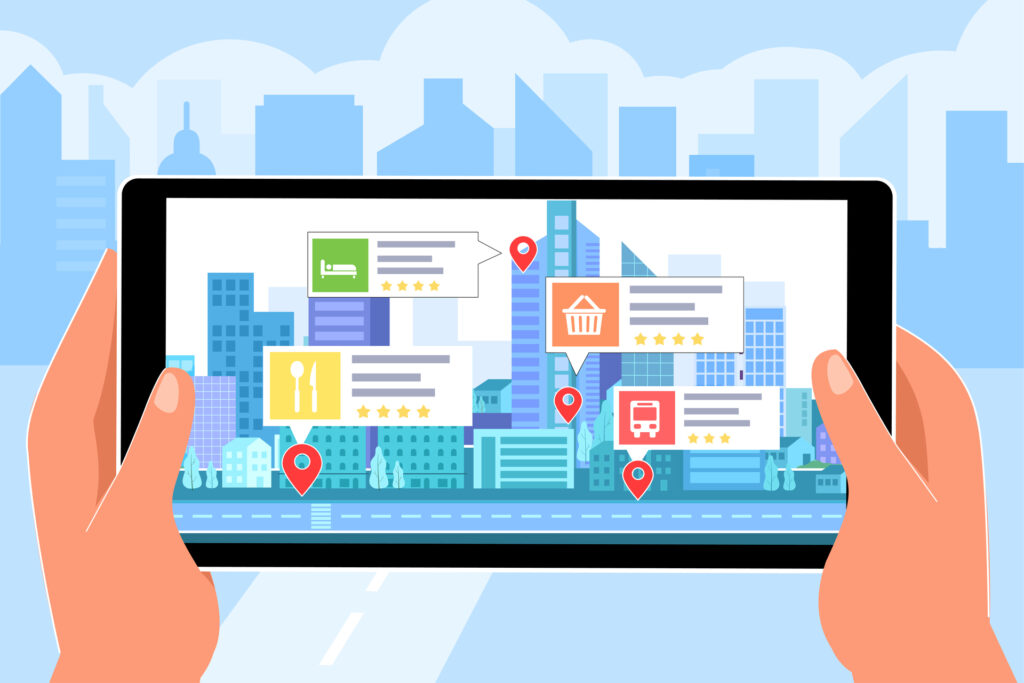
The role of Digital Twins in shaping the future of smart cities is nothing short of transformative. Imagine a virtual version of your entire city—its streets, its energy grid, even its traffic patterns—powered by a constant flow of real-time data. These virtual models are far from just static representations; they’re dynamic and interactive, offering city planners, residents, and even emergency responders the insights they need to make smarter decisions. But here’s the thing: for all this data to be useful, the experience of interacting with it needs to be simple, intuitive, and user-friendly. That’s where UX design comes in.
In this blog, let’s explore how the design of user experiences (UX) is not just making Digital Twins more accessible but also helping cities make better, more informed choices about everything from traffic management to energy optimization.
- What Are Digital Twins in Smart Cities?
Before we dive deep into the impact of UX design, let’s take a step back and first understand what a Digital Twin is and how it functions within the context of a smart city.
- What Are Digital Twins in Smart Cities?
- What is a Digital Twin? In simple terms, a Digital Twin is a virtual replica of a physical object, system, or even an entire city. It uses real-time data to mirror everything from transportation systems to public utilities. Think of it as a live-action video game version of your city—minus the need for game controllers.
- Smart Cities: When we talk about smart cities, we’re referring to urban areas that use technology to improve the lives of people living there. From monitoring energy use to improving traffic flow, these cities are optimized for better efficiency, sustainability, and overall livability. And the backbone of these improvements? Real-time data, seamlessly connected systems, and—of course—Digital Twins.
- What is a Digital Twin? In simple terms, a Digital Twin is a virtual replica of a physical object, system, or even an entire city. It uses real-time data to mirror everything from transportation systems to public utilities. Think of it as a live-action video game version of your city—minus the need for game controllers.
In the real world, cities like San Diego have been pioneers in using Digital Twins. The city uses a virtual model to track traffic patterns and adjust routes in real-time, reducing congestion and improving air quality. It’s smart city tech at work, and it’s all possible because of real-time data.
- Why UX Matters in Digital Twins
UX design is what turns all the raw, complex data generated by a Digital Twin into something useful and understandable. Without a solid UX, all this data would just be noise. Good UX helps users—whether they’re city planners or average residents—make sense of it and act on it.
- Clarity and Simplicity: Cities generate an insane amount of data every single day. The challenge lies in ensuring that users, no matter their role, can easily navigate through that data without feeling overwhelmed. UX design makes sure that complex information is simplified, distilled into something that can be grasped quickly. Imagine having to sift through thousands of data points—good UX should prevent that from ever happening.
- Accessibility for All: Not everyone interacting with a Digital Twin is a tech expert. City officials might be familiar with the systems, but your average resident probably isn’t. A UX design should bridge that gap, making it easy for anyone—from a highly experienced planner to a resident just curious about air quality levels—to engage with the system without frustration.
- Real-Time Interaction: Since Digital Twins operate in real time, the UX needs to allow users to interact with live data instantly. In a crisis, for instance, emergency responders may need immediate access to current information. Similarly, city planners may need to monitor and adjust traffic flow, live.
- Clarity and Simplicity: Cities generate an insane amount of data every single day. The challenge lies in ensuring that users, no matter their role, can easily navigate through that data without feeling overwhelmed. UX design makes sure that complex information is simplified, distilled into something that can be grasped quickly. Imagine having to sift through thousands of data points—good UX should prevent that from ever happening.
Real-Life Example: Let’s take New York City, for example. The city’s water management system operates on a Digital Twin that tracks everything from real-time water consumption to system leaks. By constantly updating its data, the system helps officials prevent water shortages and plan for future demand, with all this information available at the touch of a button.
- Key Principles of UX in Digital Twins
For a UX design to truly enhance the functionality of Digital Twins, it needs to follow a few important principles. These aren’t just “best practices” but essential building blocks for creating effective, user-friendly interfaces.
- User-Centric Design
- What It Is: User-centric design means that the design process always revolves around the needs of the end user. What works for one group of users may not work for another, so each user interface should be tailored to its specific audience.
- How It Applies: Let’s say you’re a city official trying to track traffic patterns. Your interface needs to show clear visualizations of congestion, peak hours, and accident-prone areas. On the other hand, a resident may only want to check the current air quality. The system should adapt to these different needs seamlessly.
- What It Is: User-centric design means that the design process always revolves around the needs of the end user. What works for one group of users may not work for another, so each user interface should be tailored to its specific audience.
Real-Life Example: Take Boston, for instance. The city has integrated a Digital Twin system that caters to both city officials and residents. While city officials can access detailed traffic and waste management data, residents can check air quality levels or the status of their local parks—all through the same platform.
- Data Visualization
- What It Is: Data visualization is about turning raw data into visuals that are easy to interpret. Whether it’s a graph, map, or chart, good visualization techniques help users make sense of complex information.
- How It Applies: For example, city planners might use 3D maps to visualize traffic congestion or energy consumption. The ability to zoom in on areas of interest or filter by specific metrics makes the system far more useful.
- What It Is: Data visualization is about turning raw data into visuals that are easy to interpret. Whether it’s a graph, map, or chart, good visualization techniques help users make sense of complex information.
Real-Life Example: Chicago uses a Digital Twin to monitor its energy consumption. The city’s system generates heat maps to show where energy is being used most heavily. This helps both residents and city officials make more informed decisions about reducing consumption or optimizing energy use.
- Simple Navigation
- What It Is: The simpler the navigation, the better the UX. Digital Twins should have intuitive interfaces that make it easy for users to find what they’re looking for.
- How It Applies: Imagine you need to check traffic data in your city. You shouldn’t have to click through several menus or sift through endless charts. With a good UX, the right data should be just a click or two away.
- What It Is: The simpler the navigation, the better the UX. Digital Twins should have intuitive interfaces that make it easy for users to find what they’re looking for.
Real-Life Example: In Los Angeles, a Digital Twin is used to monitor air quality. The system is simple and easy to use, so even residents with minimal tech experience can open the app, check the air quality in their neighborhood, and make informed decisions about whether to head outdoors.
- Practical Steps to Implement UX Design in Digital Twins
If you’re a city or organization looking to integrate a Digital Twin, here’s how you can approach the UX design process:
- Conduct Stakeholder Research
Start by understanding who will use the system. City officials, emergency responders, and residents all have different needs.
Real-Life Example: In San Francisco, officials worked with residents and businesses to build a Digital Twin that provides traffic and waste management data. Their input shaped the design and ensured that the platform met everyone’s needs, from emergency responders to everyday users. - Prioritize Data Integration
The success of a Digital Twin lies in how seamlessly it integrates data from various sources—traffic cameras, IoT sensors, and more. A good UX design ensures all this data is combined in one cohesive system, giving users an accurate, up-to-date picture of city life. - Prototype and Get Feedback
Once you have a design, test it with real users. Feedback from stakeholders—like city planners or residents—can help fine-tune the interface.
Real-Life Example: When developing its Digital Twin, Chicago used prototypes to test different user interfaces. This allowed them to refine the system, ensuring it worked well for both city officials and residents before launching it citywide.
- Conduct Stakeholder Research
- The Challenges of UX in Digital Twins
Even with the best intentions, UX design for Digital Twins doesn’t come without its challenges.
- Data Overload
- Challenge: Cities generate a ton of data, which can quickly overwhelm users.
- Solution: Good UX should help users filter and prioritize the most important information, so they don’t drown in unnecessary data.
- Data Overload
- Diverse Needs
- Challenge: Different users need different interfaces. A city planner and a resident have vastly different requirements
- Solution: By creating customizable dashboards and role-based access, you can ensure that each user sees what’s most relevant to them.
- Diverse Needs
- Security and Privacy
- Challenge: Digital Twins involve sensitive data, and security is a serious concern.
- Solution: UX designers must work with security experts to ensure data is protected with encryption, multi-factor authentication, and compliance with local regulations.
- Security and Privacy
- Best Practices for Effective UX in Digital Twins
- Collaboration: UX design isn’t done in a vacuum. Work with urban planners, developers, and data scientists to create a user-friendly and practical platform.
- Responsive Design: A Digital Twin should work well on desktops, tablets, and mobile phones, ensuring accessibility for all users.
- Ongoing Improvement: The design should always evolve. Collect regular feedback, monitor how users interact with the platform, and continuously refine it.
- Looking Ahead: The Future of UX in Digital Twins
As technology continues to evolve, so too will the role of UX in Digital Twins. Here are a few things to watch for:
AI-Powered Personalization
UX will get even smarter. AI will help personalize interfaces based on user behavior. For example, if a city official constantly checks traffic data, the system might prioritize that information on their dashboard.
Immersive AR and VR Technologies
Imagine using AR or VR to visualize urban changes or view real-time data in 3D. It’s not far off—these technologies could revolutionize how city planners interact with Digital Twins.
Predictive Analytics in UX
Machine learning will help predict future scenarios. UX design will need to make these predictions easy to understand and act upon, so users can make better, data-backed decisions.
Conclusion
As our cities grow smarter, UX design will continue to play a vital role in ensuring that Digital Twins are not only functional but also accessible, actionable, and—most importantly—useful for everyone involved. By focusing on user needs, simplifying complex data, and adopting new technologies, we can build smarter, more sustainable cities where everyone benefits.